Activation
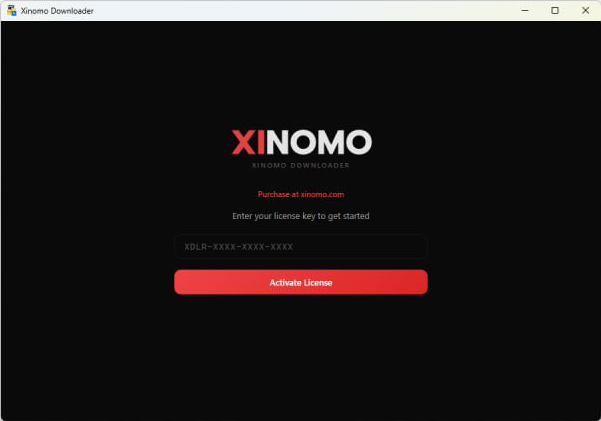
When you open the program for the first time, you'll see a screen to enter your license key.
- Enter the license code from your purchase (format:
TGDL-XXXX-XXXX-XXXX) - Click Activate License
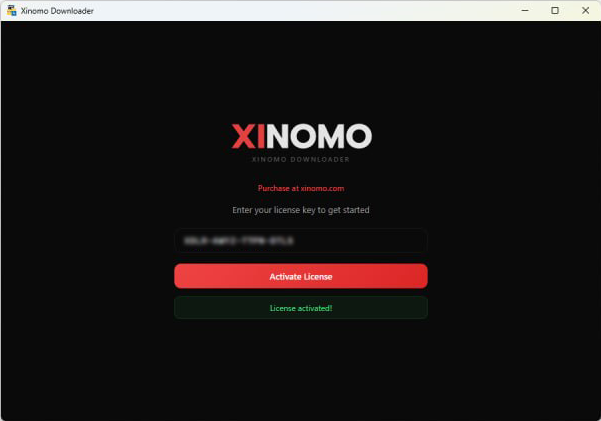
- If valid, a green "License activated!" message will appear
Telegram API Setup
To enable downloads from Telegram, set up your personal API credentials first.
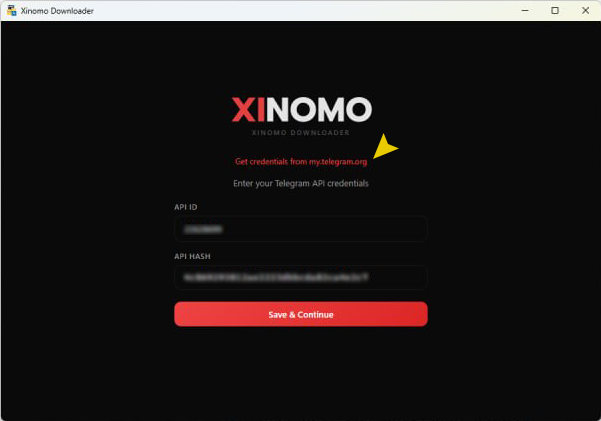
- Request API credentials: Click the link "Get credentials from my.telegram.org" to open Telegram's website.
- Enter the values: Copy them from the website and paste into the app:
- API ID — numeric ID
- API HASH — alphanumeric hash
- Save: Click Save & Continue to proceed to the main screen.
Account Setup
To download from private platforms (like Telegram), you need to connect your account first.
Connection status
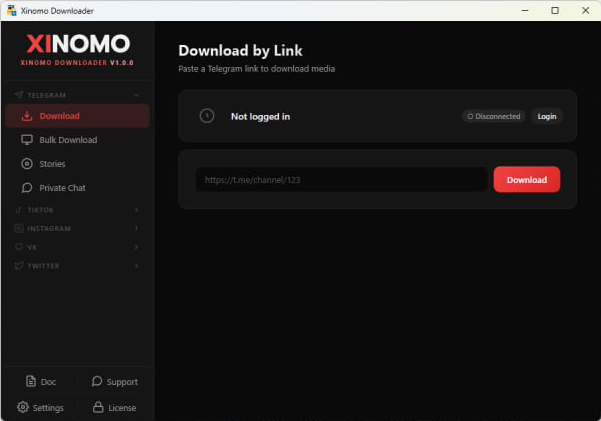
- Check status: Look at the top status bar — if it shows "Not logged in", click Login.
- Phone: Enter the phone number registered with Telegram and click Connect.
- OTP: Telegram sends an OTP — enter it in the next popup.
- Account management: Once connected, your account name and "Connected" status appear. You can Logout or Re-login from this screen at any time.
Telegram Downloads
The Telegram menu supports three main download methods.
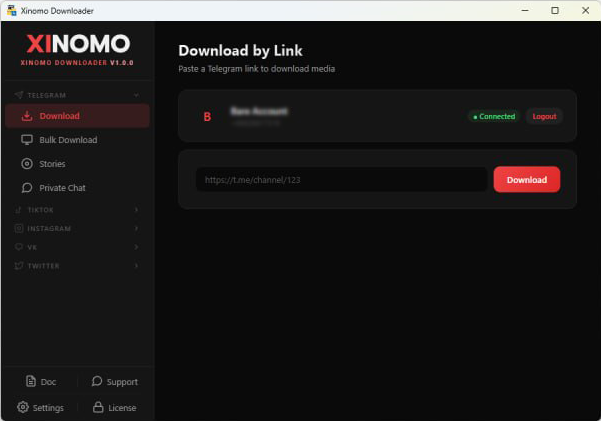
A. Download by link
- Paste the message or channel link in the URL field
- Click Download
- When complete, you'll see "Download complete!" — click Open Folder to view the file
B. Bulk download
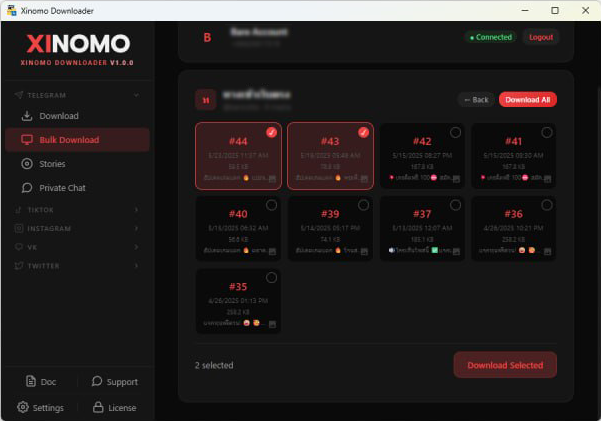
Best for entire groups or channels.
- Select the channel from the list
- The system shows a preview of all files with their IDs
- File selection: pick specific files or click Download All
- Media filter: choose Photos / Videos / All, plus a date range
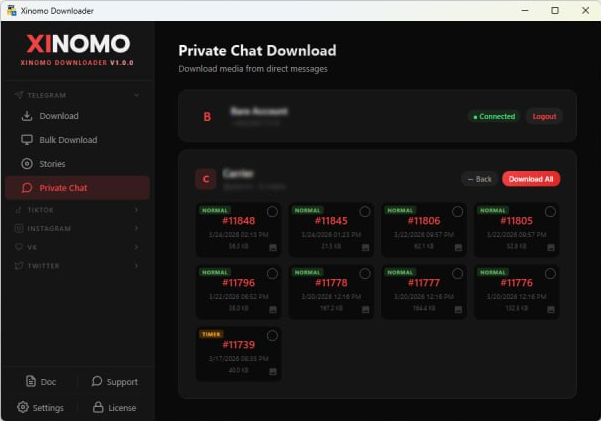
C. Private chat & stories
- Private chat: download media from your private chats
- Stories: download stories from friends or channels you follow
TikTok Downloads
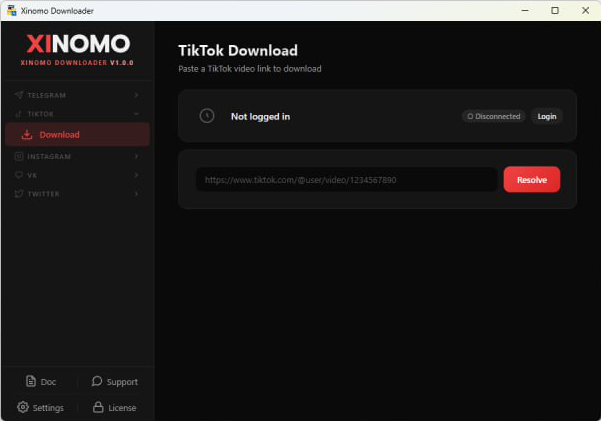
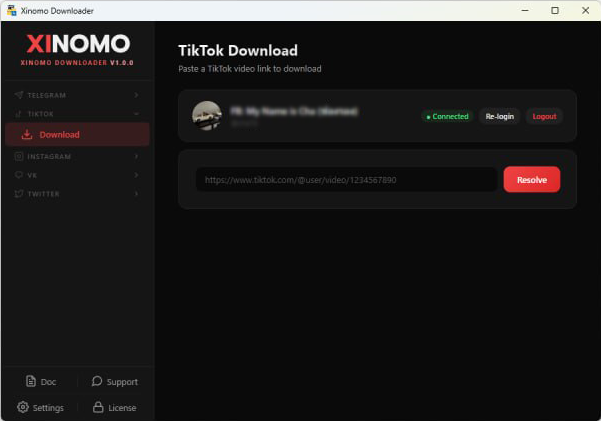
Click Login and follow the steps to log in to TikTok. You'll see a green "Connected" status when ready.
- Open TikTok → Download
- Paste the TikTok video link in the URL field
- Click Resolve to verify the link
- Pick a quality (e.g. 1280p H.265, 1024p H.265) and download
Instagram Downloads
Log in to Instagram first — you'll see a green "Connected" status when ready.
A. Download by link
- Open Instagram → Download
- Paste the Instagram link in the URL field
- Click Resolve to verify
- Pick a quality (e.g. 1280p H.265, 1024p H.265) and download
B. Stories
Same flow as link download — works for Instagram Stories from accounts you follow.
VK & X (Twitter) Downloads
Log in to VK or X first. Once you see the green "Connected" status, the flow is the same as the others.
- Paste the link in the URL field
- Click Resolve
- Pick a quality (e.g. 1280p H.265, 1024p H.265) and download
Need Help?
Stuck on something? Reach out — we usually reply quickly.